Several improvements to make creating content, moderating communities, and participating in discussions faster and more intuitive.
What's New?
Rich Text Formatting Toolbar
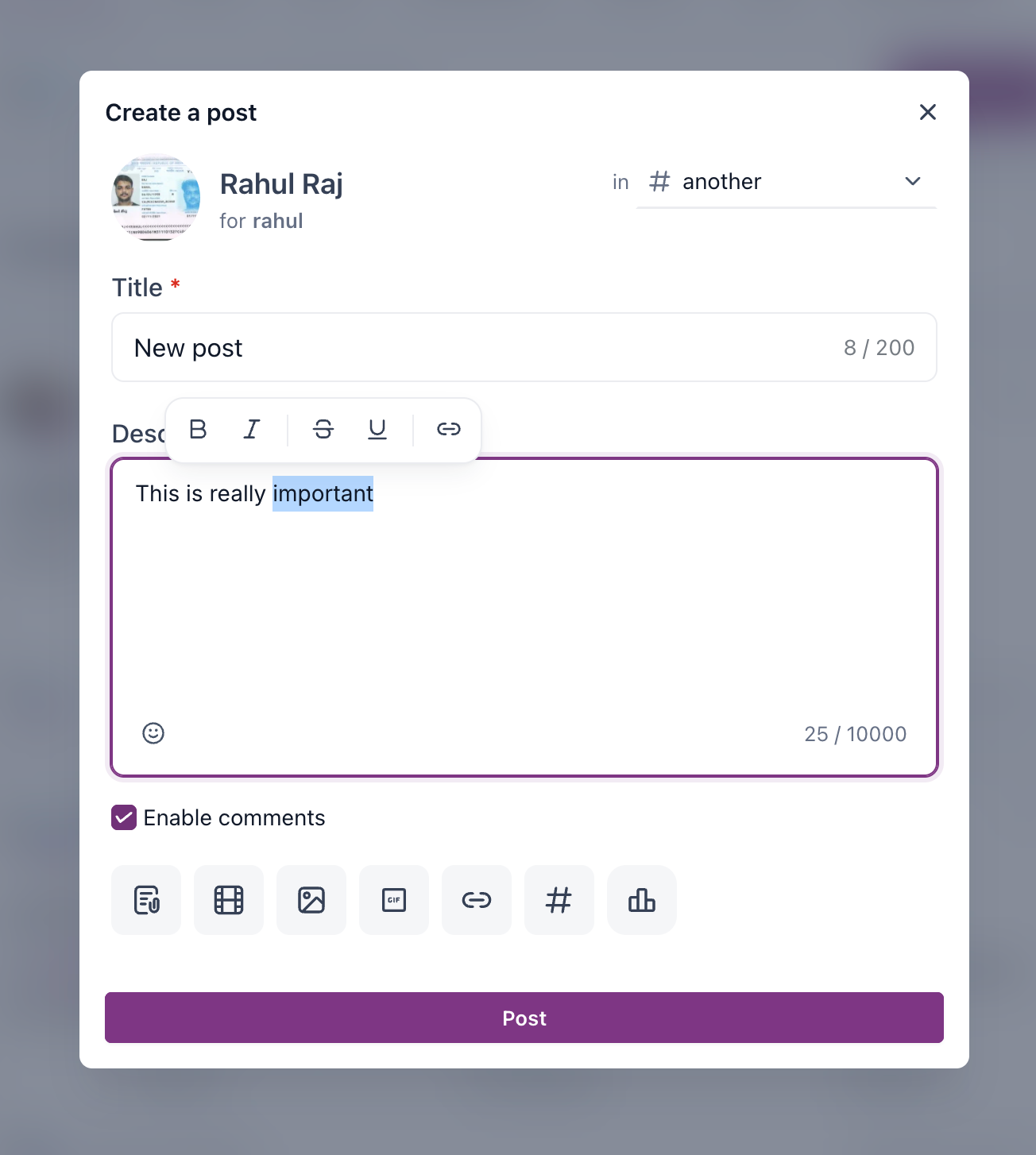
Formatting content is now easier than ever. Select any text in a post to reveal a floating formatting toolbar. Available options include Bold, Italic, Underline, Strikethrough, and inserting a link.
Ban Spammers Directly from Posts
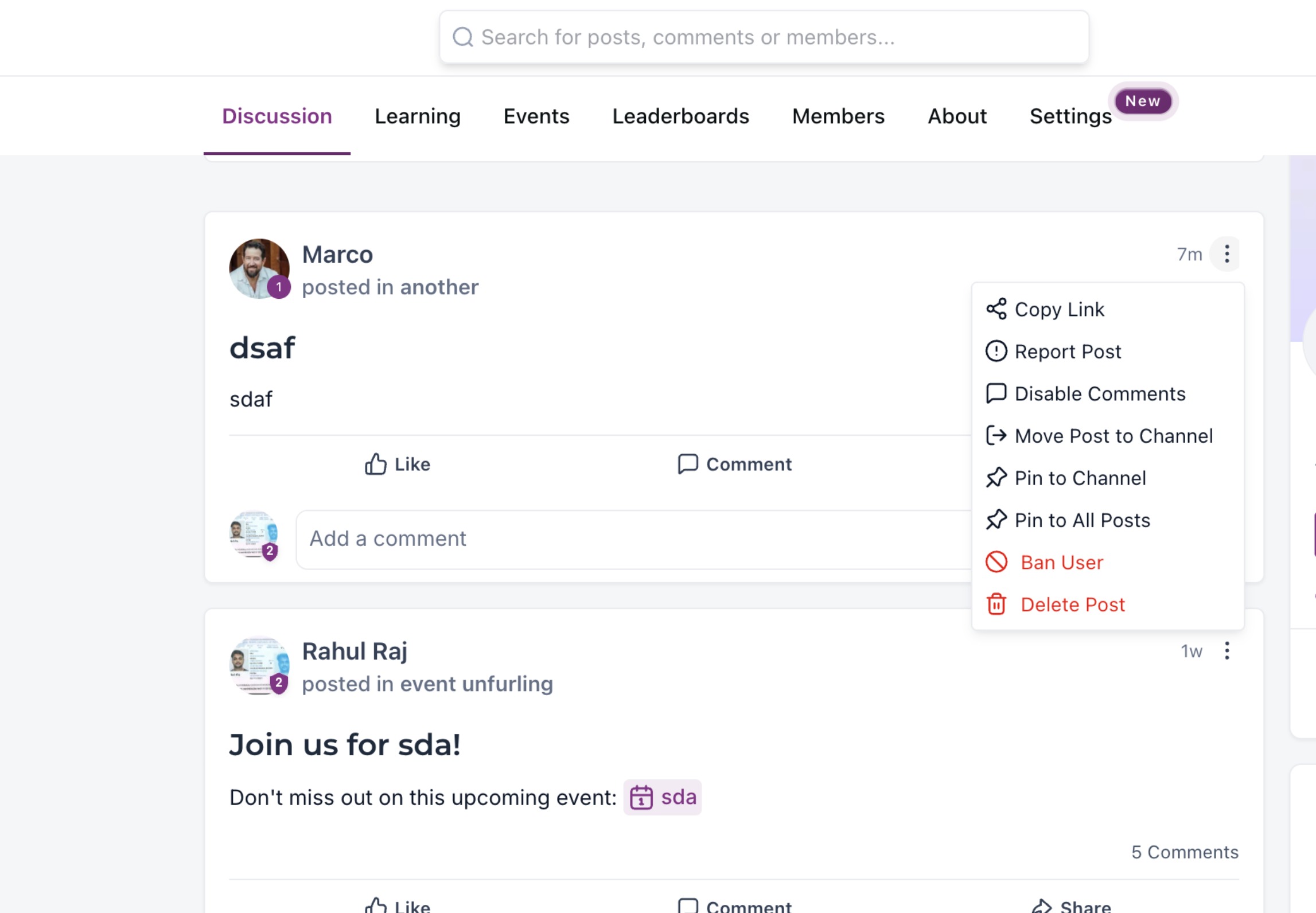
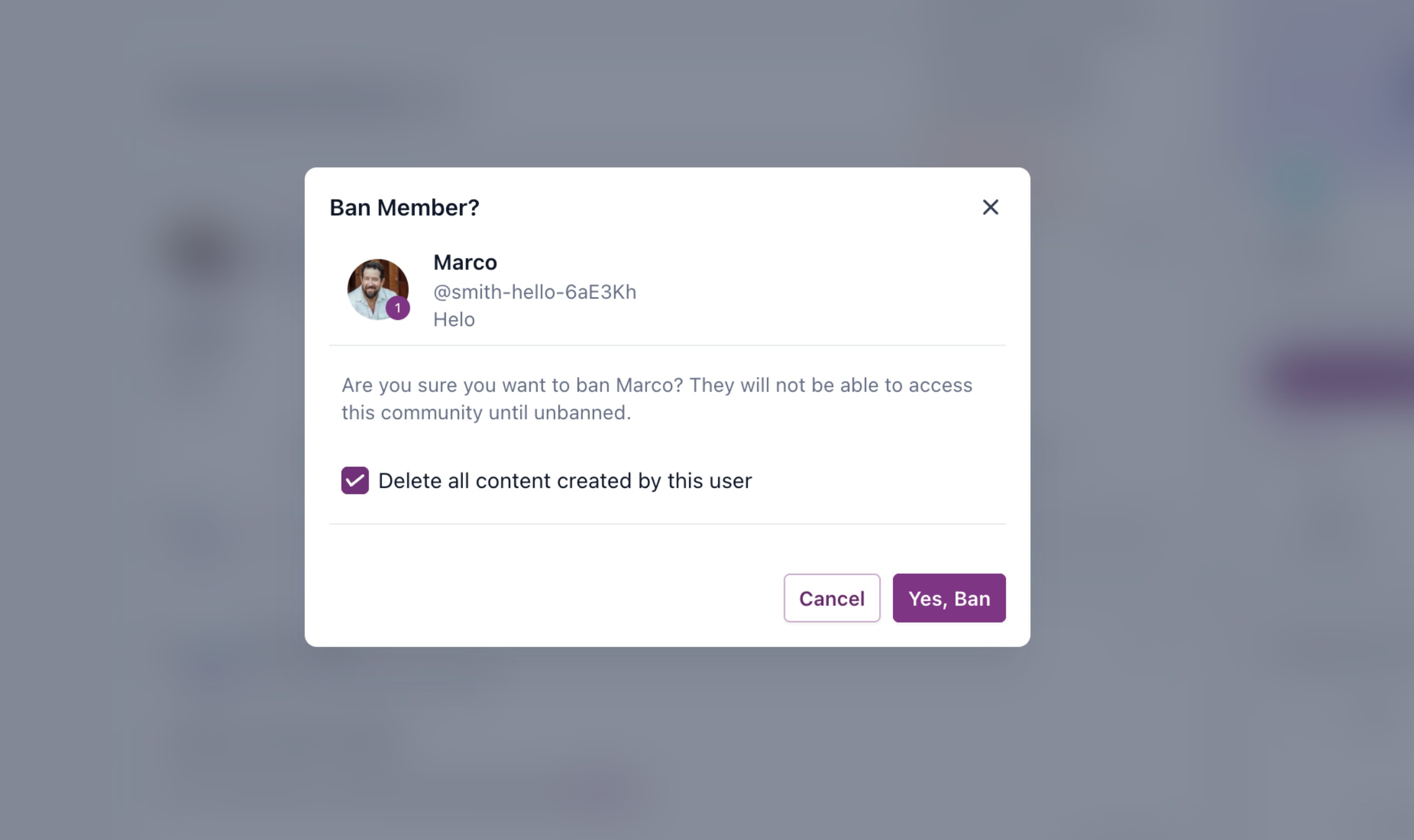
Moderating your community is now just a click away. Spot a spammer? Open the three-dot menu (⋮) on their post and select Ban User - no more switching to the Members tab to find them. A confirmation dialog lets you optionally delete all content created by the user before confirming the ban.
Download Recordings from Posts
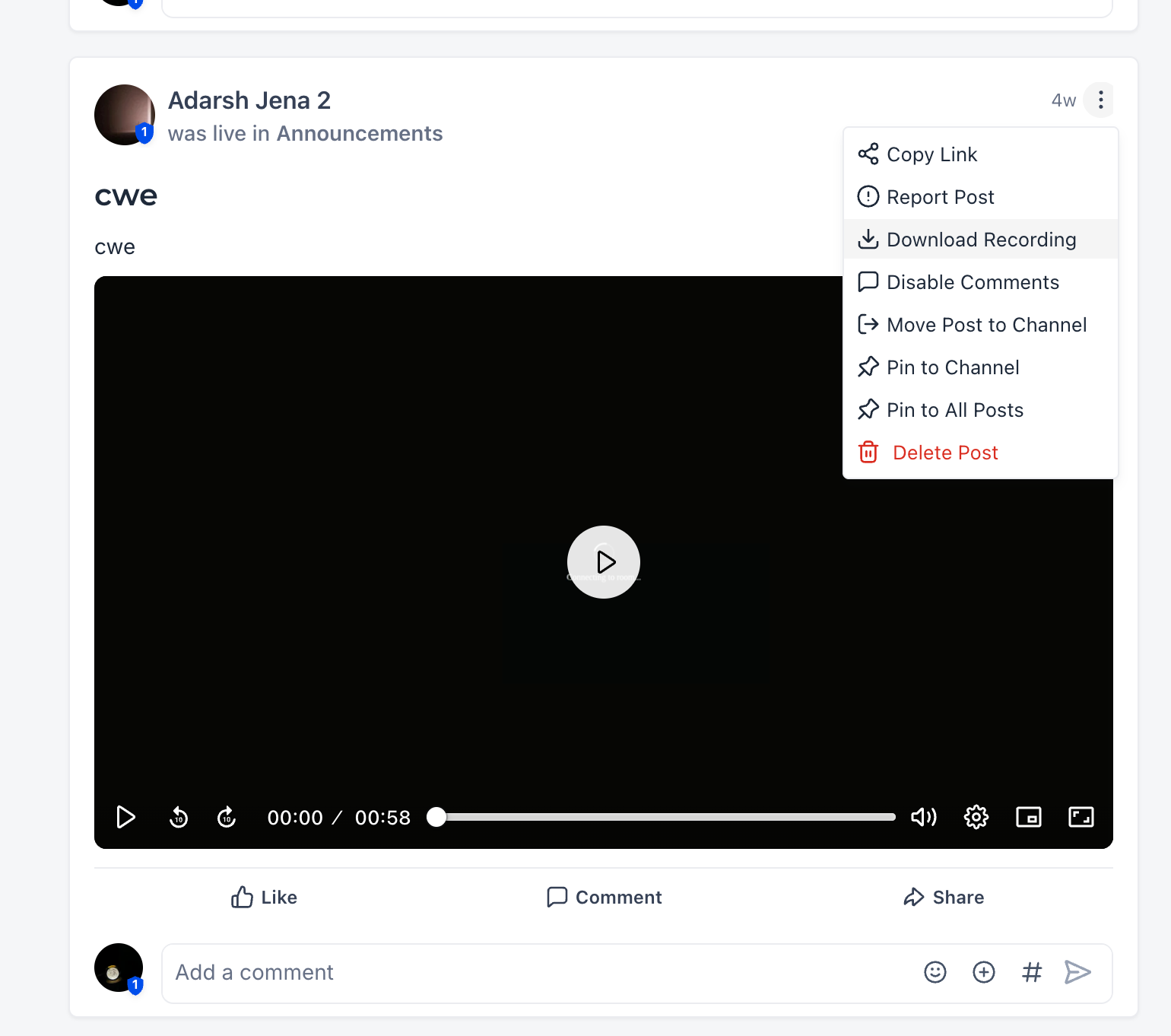
Recordings can now be downloaded directly from the post itself. Open the three-dot menu (⋮) on a recording post and click Download Recording to save it instantly.
Improvements & Fixes
Improved Comment Editor Keyboard Shortcuts
Based on community feedback, the comment editor now uses more familiar keyboard shortcuts: Enter starts a new paragraph, Shift + Enter inserts a new line within the same paragraph, and Ctrl + Enter (or click Post) publishes the comment.
Why This Matters
These updates help admins create better-looking posts, moderate more efficiently, manage recordings with fewer clicks, and enjoy a smoother commenting experience - all without leaving the editor or navigating away from the feed.
Was this article helpful?
That’s Great!
Thank you for your feedback
Sorry! We couldn't be helpful
Thank you for your feedback
Feedback sent
We appreciate your effort and will try to fix the article