Customize how your community's navigation looks - reorder tabs to match how your community works, and rename them to fit your branding.
Community admins and owners can now fully customize their community's tab layout by reordering tabs, renaming labels, and disabling tabs they don't need.
What's New?
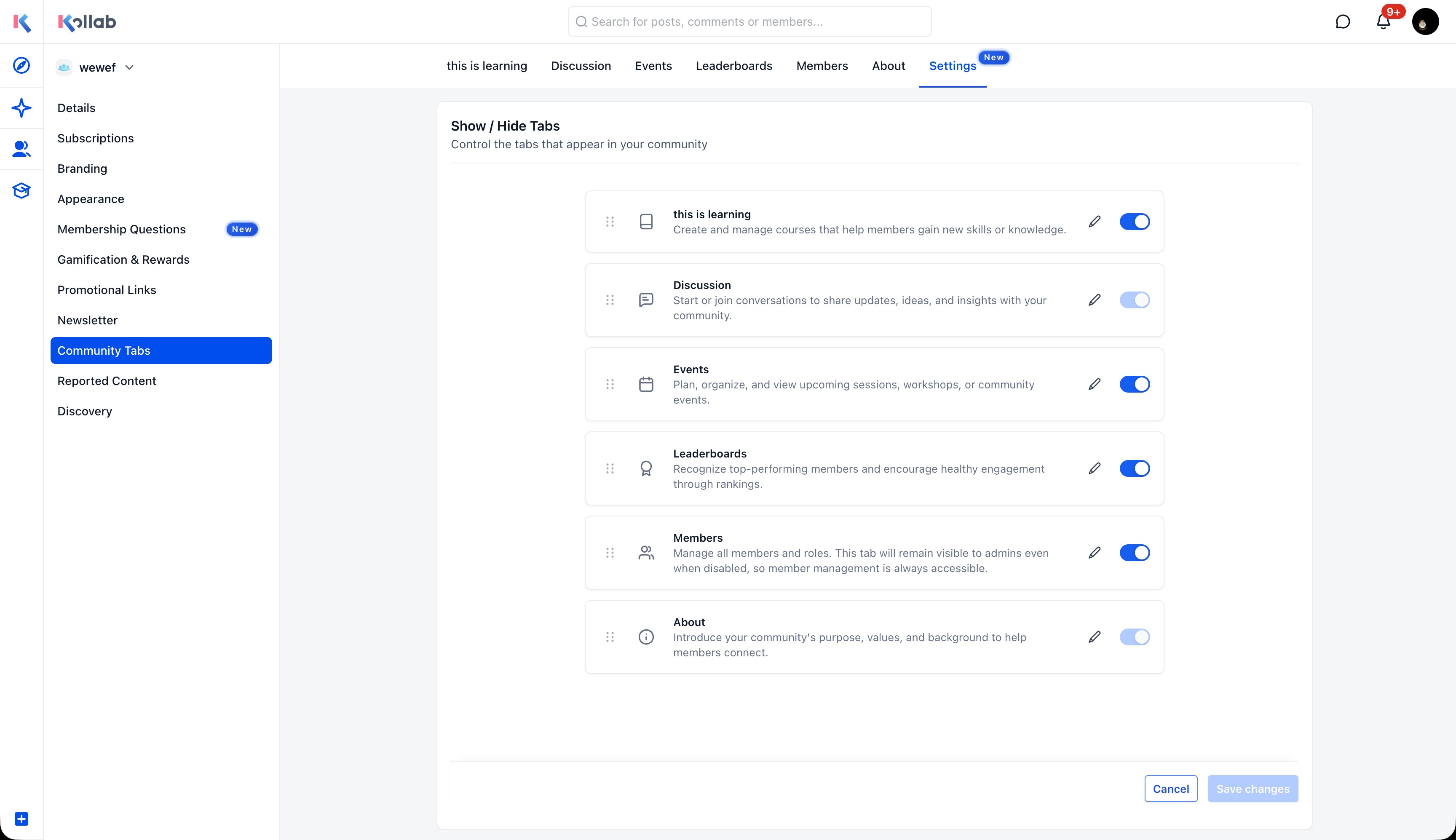
Reorder Tabs
Drag and reposition community tabs (Discussion, Learning, Events, Leaderboards, Members, About) to control the order members see them. Put the most important sections front and center.
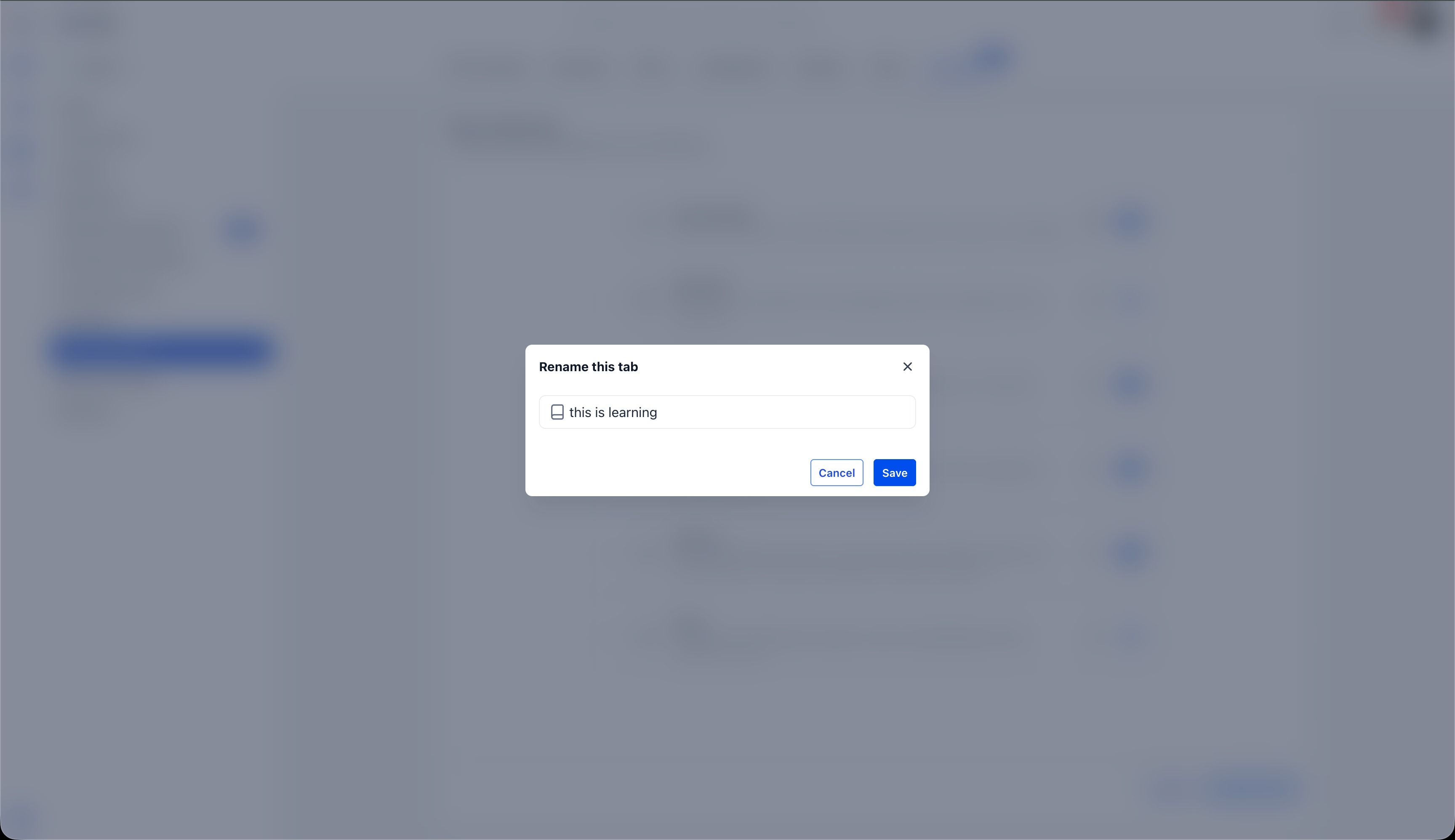
Rename Tabs
Give any tab a custom label that fits the community's own language and branding. Click the edit icon next to any tab to open the rename dialog and save a new name.
How It Works
- Navigate to Settings → Community Tabs in your community.
- Reorder - Drag tabs using the handle on the left to rearrange them.
- Rename - Click the edit icon next to any tab and enter a custom label.
- Show/Hide - Toggle tabs on or off using the existing switches.
- Click Save changes.
The updated tab layout is reflected immediately for all members.
Why This Matters
Not every community uses the same tabs, and default labels don't always match how a community talks about its sections. With tab customization, admins can shape the navigation to reflect what their community actually looks like - putting the most relevant sections first and using language members already understand.
Notes
- Only admins and owners can rearrange, rename, or disable tabs.
- The Discussion and About tabs cannot be disabled.
- Custom tab names are not translated - they display exactly as entered.
- Changes persist across sessions and apply to all members.
Was this article helpful?
That’s Great!
Thank you for your feedback
Sorry! We couldn't be helpful
Thank you for your feedback
Feedback sent
We appreciate your effort and will try to fix the article