We’ve introduced an onboarding experience in the Snapshot module to help you get started faster and with more confidence.
What’s Changed
First-Time Onboarding Experience
If you haven’t created any Snapshots yet, you’ll now see an onboarding layer that walks you through the basics.

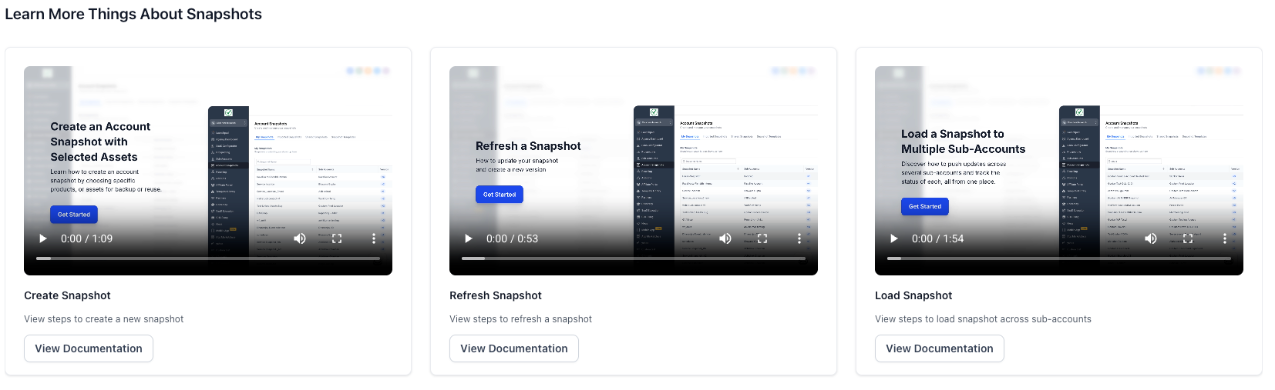
In-App Learning Resources
Access short videos and help documentation directly within the Snapshot module to learn how to:
- Create Snapshots
- Import Snapshots
- Share, push, and refresh Snapshots
Smart UI Transition
After you create your first Snapshot, the full onboarding guide automatically collapses into a compact Help panel or floating icon, so guidance is available without cluttering your workspace.

Why This Matters
- Reduces the learning curve for new users.
- Eliminates the need to search external docs for basic actions.
- Keeps help accessible exactly where and when it’s needed.
User Benefits
Faster setup with step-by-step guidance for your first Snapshot.
Always-available help through a collapsible, on-demand Help panel.
Cleaner UI once you’re familiar with the workflow.
What to Do Next
Head over to the Snapshot module to explore the new onboarding guide. Watch a quick video, follow the steps, and create your first Snapshot in just a few clicks.
Was this article helpful?
That’s Great!
Thank you for your feedback
Sorry! We couldn't be helpful
Thank you for your feedback
Feedback sent
We appreciate your effort and will try to fix the article